


Note
Go to the end to download the full example code. or to run this example in your browser via Binder
Surface Boxplot#
Shows the use of the surface boxplot, which is a generalization of the functional boxplot for FDataGrid whose domain dimension is 2.
# Author: Amanda Hernando Bernabé
# License: MIT

# sphinx_gallery_thumbnail_number = 3
In order to instantiate a
SurfaceBoxplot, a functional data
object with bidimensional domain must be generated. In this example, a
FDataGrid representing a function
\(f : \mathbb{R}^2\longmapsto\mathbb{R}\) is constructed,
using as an example a Brownian process extruded into another dimension.
The values of the Brownian process are generated using
make_gaussian_process(),
Those functions return FDataGrid objects whose data_matrix
store the values needed.
from skfda.datasets import make_gaussian_process

n_samples = 10
n_features = 10

fd = make_gaussian_process(
    n_samples=n_samples,
    n_features=n_features,
    random_state=1,
)
fd.dataset_name = "Brownian process"
After, those values generated for one dimension on the domain are extruded along another dimension, obtaining a three-dimensional matrix or cube (two-dimensional domain and one-dimensional image).
import numpy as np

cube = np.repeat(fd.data_matrix, n_features).reshape(
    (n_samples, n_features, n_features),
)
We can plot now the extruded trajectories.
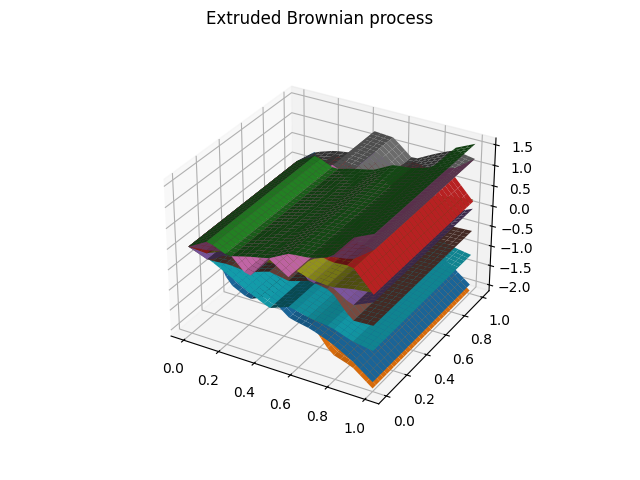
Since matplotlib was initially designed with only two-dimensional plotting in mind, the three-dimensional plotting utilities were built on top of matplotlib’s two-dimensional display, and the result is a convenient (if somewhat limited) set of tools for three-dimensional data visualization as we can observe.
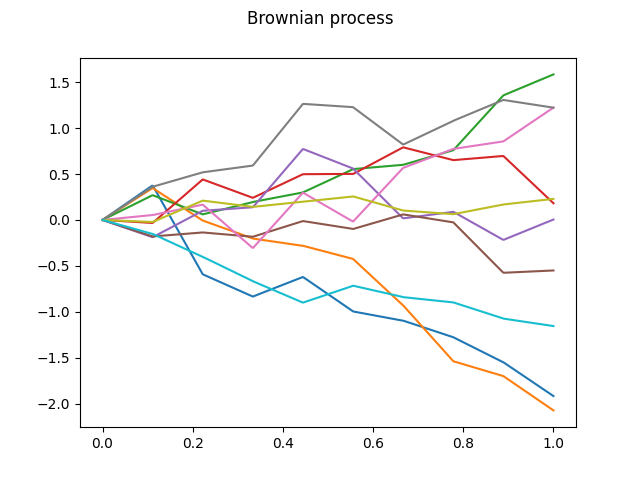
For this reason, the profiles of the surfaces, which are contained in the first two generated functional data objects, are plotted below, to help to visualize the data.
fd.plot()
plt.show()
To terminate the example, the instantiation of the
SurfaceBoxplot object is
made, showing the surface boxplot which corresponds to our FDataGrid
from skfda.exploratory.visualization import SurfaceBoxplot

surface_boxplot = SurfaceBoxplot(fd_2)
surface_boxplot.plot()
plt.show()
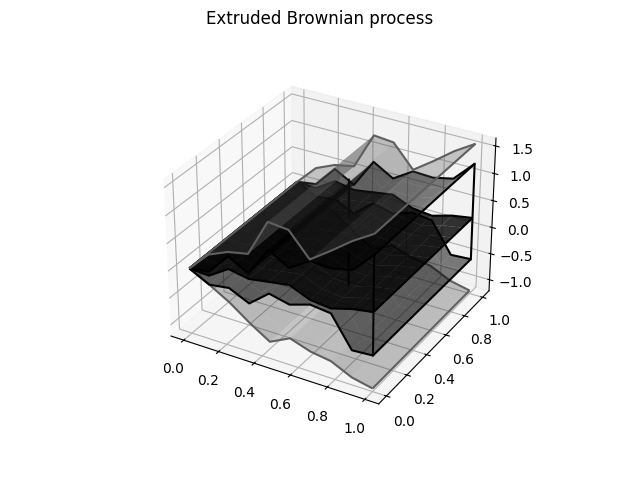
The surface boxplot contains the median, the central envelope and the outlying envelope plotted from darker to lighter colors, although they can be customized.
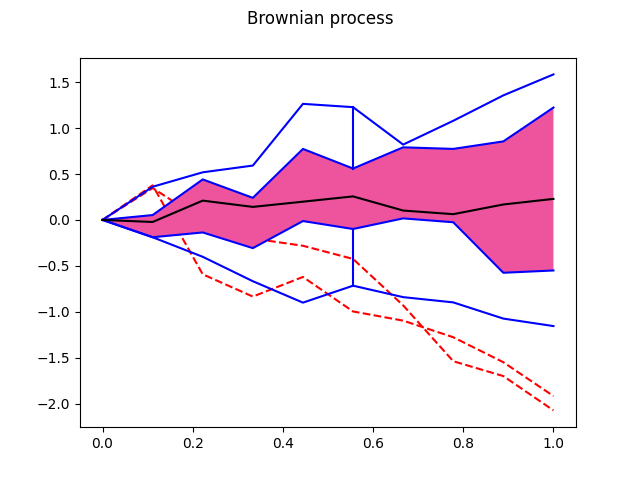
Analogous to the procedure followed before of plotting the three-dimensional
data and their correponding profiles, we can obtain also the functional
boxplot for one-dimensional data with the
Boxplot passing as arguments the
first FdataGrid object. The profile of the surface boxplot is obtained.
from skfda.exploratory.visualization import Boxplot

boxplot1 = Boxplot(fd)
boxplot1.plot()
plt.show()
Total running time of the script: (0 minutes 0.557 seconds)
